How To Find IFSC Code Using Mobile Banking (Step-by-Step)

How to Check Your IFSC Code Using Mobile Banking
Need your IFSC code quickly? Open your bank’s mobile banking app, go to your account details, and look for the 11-character IFSC code shown with your branch name. This is one of the easiest ways to find your branch IFSC code before making an NEFT, RTGS, or IMPS transfer.
An IFSC code identifies the bank branch that receives an online transfer. Checking it in your banking app can help you avoid errors caused by old cheque books, branch changes, or typing mistakes.
Why Check IFSC Code in Your Bank App?
Your bank’s mobile app usually displays account information linked to your branch. This may include your account number, branch name, branch address, and IFSC code.
Checking the code in the app can be useful when you need to:
- Add a bank account as a beneficiary
- Receive money through NEFT, RTGS, or IMPS
- Fill in an online transfer form
- Verify branch details before a transfer
- Compare details shown on an old cheque book
✅ Your bank app is a convenient place to check your own branch IFSC code.
How to Find IFSC Code Through Mobile Banking
The menu names can vary from one bank app to another, but the general process is similar.
Follow these steps:
- Open your bank’s official mobile banking app.
- Log in securely using your usual method.
- Select Accounts or choose the bank account you want to view.
- Open Account Details, Account Summary, or View Details.
- Look for the branch name, branch address, and 11-character IFSC code.
- Copy the IFSC code carefully if you need to use it in a transfer form.
- Match the branch name with the IFSC code before proceeding.
? Use only your bank’s official app. Never share your OTP, UPI PIN, debit-card PIN, CVV, or internet-banking password.
Where Is IFSC Code Usually Shown in the App?
In many mobile banking apps, the IFSC code appears near the account number, branch name, or branch address. It may be listed under headings such as:
- Account Details
- Account Information
- Account Summary
- Branch Details
- Receive Money
- Profile or Account Settings
If your app has a search feature, try searching for terms such as IFSC, branch, or account details.
What if the Mobile App Does Not Show IFSC?
If you cannot find the IFSC code in your mobile app, try these options:
- Check the first page of your passbook.
- Open your account statement or e-statement.
- Check account details through internet banking.
- Use your bank’s official branch locator.
- Search by bank and branch using the IFSCPro IFSC finder.
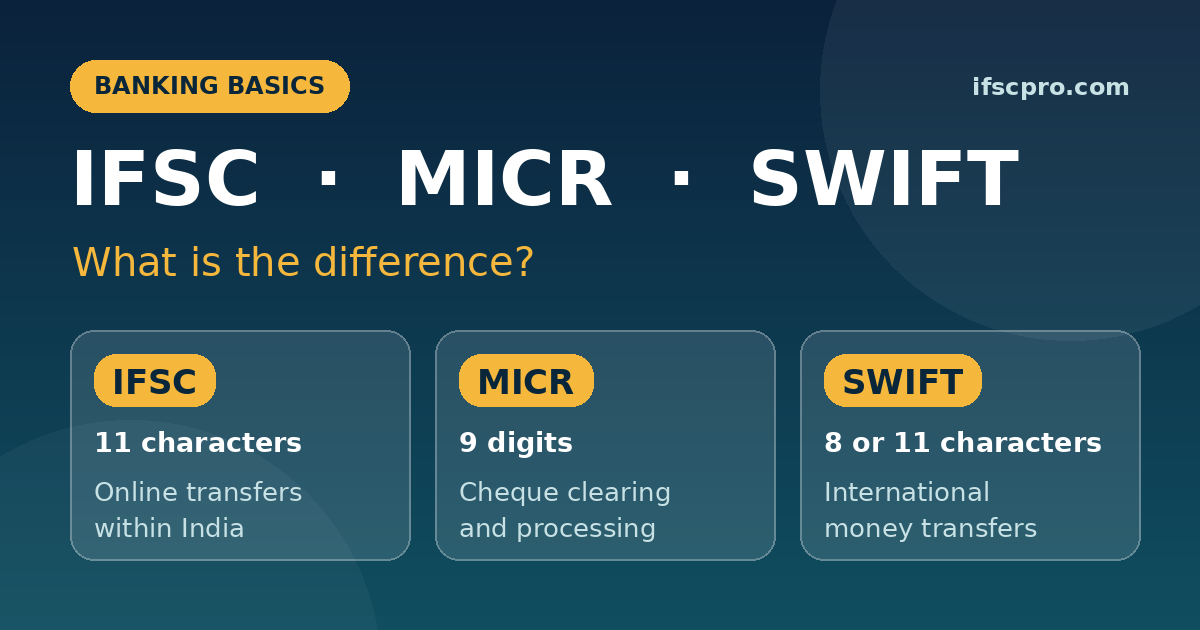
A cheque leaf may also show the IFSC code near the bank name or branch address. Do not confuse it with the MICR code, which is a separate 9-digit number mainly used for cheque processing.
Common Mistakes to Avoid
Avoid these simple errors when copying an IFSC code:
- Copying the MICR code instead of the IFSC code
- Typing the letter O instead of the number 0
- Using an IFSC code from an old cheque book
- Choosing a branch with the same name in another city
- Skipping the branch-name check before a transfer
?️ If branch details do not match, stop and reconfirm the code before transferring money.
Final Reminder
To find your IFSC code using mobile banking, open your account details and check the 11-character code shown with your branch information. Copy the code carefully and match the branch details before using it for NEFT, RTGS, or IMPS.
Use the IFSCPro IFSC finder to search branch details when you do not have access to your mobile banking app. This guide provides general banking information and does not replace confirmation from your bank.
Frequently Asked Questions
Can I find my IFSC code in any mobile banking app?
Most official Indian bank mobile apps show the IFSC code with account or branch details. The exact menu name may vary by bank.
Where can I see IFSC code in the app?
Look under Account Details, Account Summary, Account Information, or Branch Details. It is often shown near your account number and branch name.
What should I do if my app does not show the IFSC code?
Check your passbook, account statement, internet banking, or your bank’s official branch locator.
Is the IFSC code in my mobile banking app correct?
It is usually linked to your current account branch. If your branch has merged or changed, confirm the latest details with your bank before a transfer.
Can I use the IFSC code from my app for NEFT, RTGS, and IMPS?
Yes. The IFSC code identifies the branch for these transfer methods. Check that the branch details match before using it.
Why does my app show an error when I enter an IFSC code?
Check all 11 characters carefully. Copy and paste the code when possible, then verify the bank and branch details before continuing.